Hardware Metrics
Real-time analytics for your Server
Server Specifications
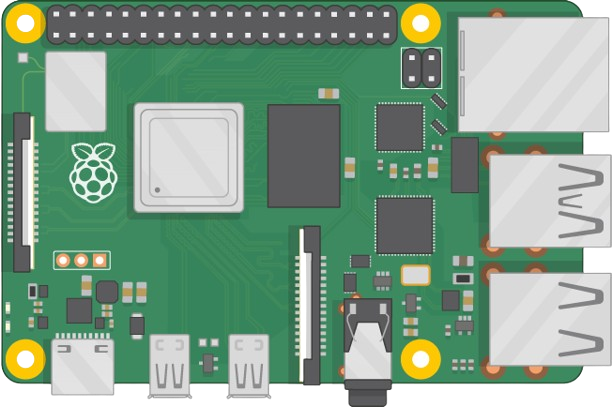
System Information
System Maintenance
CPU Status
Memory (RAM)
Storage Space
Services Monitor
Manage and audit custom services running on the Server
SSH Terminal Command Execution
Direct system access via established SSH session
Establishing SSH PTY Channel
Opening a secure interactive shell connection directly to your server...
File Browser
Manage, upload, download, and paste files directly on the Server
| Name | Size | Permissions | Actions |
|---|
Code Editor
Select a file or folder to open in Editor
| Name | Size | Permissions | Actions |
|---|
Task Scheduler
Schedule, monitor, and manage background execution tasks
App Store
One-click container and tool deployments with automatic dependency resolution


Package Details
Package information, status, and configuration details
Network Performance Monitor
Real-time bandwidth, latency, and interface analytics
0.0 Mbps
0.0 Mbps
0 ms
0.0%
Bandwidth Utilization
Download & Upload SpeedsConnection Latency
Ping times to 8.8.8.8Network Interfaces
| Interface | Status | IPv4 Address | MAC Address | MTU | Max Speed | Data Transferred (RX/TX) |
|---|---|---|---|---|---|---|
| Loading interfaces data... | ||||||
Active Connections
| Proto | Local Address | Foreign Address | State | Process |
|---|---|---|---|---|
| Loading active sockets... | ||||
Ping Diagnostics
Router Performance Monitor
Local network gateway telemetry, DNS configuration, and client mapping
-
0 ms
-
0 Devices
Gateway Ping Latency History
Ping times to Gateway RouterActive Subnet Devices (ARP Cache)
| IP Address | MAC Address | Device Vendor (OUI) | Network Interface | ARP Cache State |
|---|---|---|---|---|
| Loading connected subnet devices... | ||||
Deployment & Domain
VPS configuration guide, active domains, and mapping guidelines
Deployment Records
| S.No | Name | Description | Port | Service | Status | Action |
|---|
VPS Info
Deploying Projects to the RIT Services VPS
This guide is intended for developers deploying applications to the shared RIT Services VPS. It assumes the server, Nginx, Node.js, Java, Python, SSL, and related software are already installed and configured.
Current Deployment Map
| Subdomain | Application Type | Internal Port |
|---|---|---|
| cmsadmin.rit-services.in | React (Admin) | 5175 |
| cmsapi.rit-services.in | Spring Boot API | 8080 |
| canteen.rit-services.in | React | 5173 |
| apex.rit-services.in | Flask | 5001 |
Step 1 -- Obtain & Map a Subdomain
Request a subdomain from the server administrator. Configure the DNS settings on GoDaddy by adding an A Record pointing to the VPS IP address:
| Type | Name | Value | TTL |
|---|---|---|---|
| A | <subdomain> | 129.121.126.66 | 1/2 Hour |
Step 2 -- Deploy Your Application
Upload your application to the server. Ensure it starts successfully on a dedicated local port.
Verify the application runs locally on the VPS:
curl http://127.0.0.1:<PORT>
Step 3 -- Configure Vite (React Only)
If using the Vite development server, edit your config file to allow external hosts or explicitly allow your assigned subdomain. Restart the app after saving.
export default defineConfig({
  server: {
    host: true,
    allowedHosts: true
  }
})
Step 4 -- Create an Nginx Configuration
Create a new reverse proxy configuration file. Replace <PORT> with your application's listening port.
sudo nano /etc/nginx/sites-available/<project-name>
server {
    listen 80;
    server_name <subdomain>.rit-services.in;

    location / {
        proxy_pass http://127.0.0.1:<PORT>;

        proxy_http_version 1.1;

        proxy_set_header Host $host;
        proxy_set_header X-Real-IP $remote_addr;
        proxy_set_header X-Forwarded-For $proxy_add_x_forwarded_for;
        proxy_set_header X-Forwarded-Proto $scheme;

        proxy_set_header Upgrade $http_upgrade;
        proxy_set_header Connection "upgrade";
    }
}
Step 5 -- Enable the Site
# Link configuration
sudo ln -s /etc/nginx/sites-available/<project-name> /etc/nginx/sites-enabled/

# Test syntax
sudo nginx -t

# Reload Nginx
sudo systemctl reload nginx
Step 6 -- Enable HTTPS
Request a certificate and choose the option to redirect HTTP to HTTPS.
sudo certbot --nginx -d <subdomain>.rit-services.in
Step 7 -- Verify
Open the site in your browser or verify local routing.
curl -H "Host: <subdomain>.rit-services.in" http://127.0.0.1
Troubleshooting
sudo systemctl status <service>
allowedHosts: true or your subdomain to vite.config.ts and restart the service.
sudo nginx -t
sudo systemctl reload nginx
sudo journalctl -u <service> -f
Deployment Checklist
CI/CD Pipeline
Visual automated webhook workflows and real-time deployment runner
Email Notifications
Configure automated system monitors, track subscription deadlines, and broadcast custom updates.
Sender Account Authentication
Verify or update the Google account used to send all automated email notifications.
Interactive Google Sign-in
- Click here to sign in with Google.
- Authorize Frissco Apex to send emails.
- Once authorized, you will be redirected. If you see a connection error (which is normal for remote VM configurations), copy the entire redirect URL from your browser's address bar.
Subscribers Directory
These recipients will be notified for repository deployment events and service health alerts.
Monitored System Services
Monitored background daemons. If a system service is down or unresponsive for over 4 minutes, alert emails are dispatched automatically.
Broadcast Custom Notification
Dispatch a custom bulletin or manual notification to the global directory or selected recipients.
Infrastructure Renewal Settings
Track domain and server deadlines. Alerts will trigger automatically when dates draw close.
DNS Management
| Type | Name | Value | TTL | Actions |
|---|---|---|---|---|
| Loading DNS records from GoDaddy... | ||||
WhatsApp Bot Manager
Monitor status, replace access tokens, and manage WhatsApp bot services
RITz WhatsApp Bot (Production)
/opt/projects/RITz-whatsapp-botService Control
Access Token Configuration
Code Updates & Merging
Merge changes from the development branch into main, rebuild the jar, and restart the RITz WhatsApp Bot service.
Ready.
RITz WhatsApp Bot (Development)
/opt/projects/RITz-whatsapp-bot-devService Control
Access Token Configuration
Ready.
RMC WhatsApp Bot
/opt/projects/RMC-WhatsApp-BotService Control
Access Token Configuration
Ready.
About Server
Detailed hardware, system configurations, and host diagnostics
Operating System
Processor Spec
Memory & Swap
Local & Timezone

About Software

